All projects
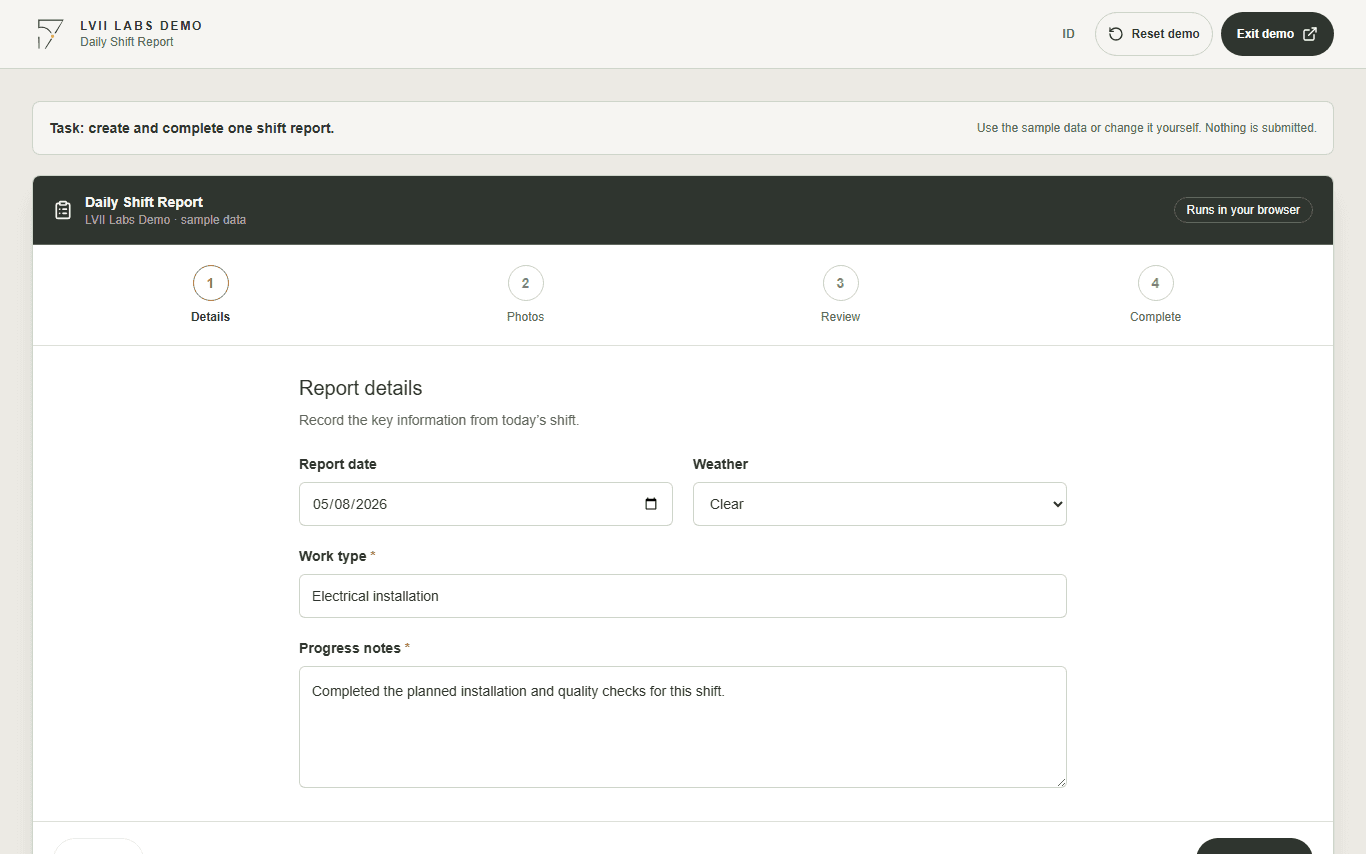
Daily Shift Report details form with report date, weather, work type, and progress notes

Field workflow

Daily Shift Report

Create a shift report, add photo evidence, review the details, and complete the record in one guided flow.

Built for field teams that need to send consistent daily updates from a phone or laptop.

  • Guided data entry
  • Photo evidence
  • Review before submission

The demo opens in a new tab, requires no login, and uses fictional sample data.

The operational problem

Site reporting is often split across paper forms, messages, and photos, leaving office teams to reconcile incomplete records.

The approach

A guided mobile-first flow keeps required details, evidence, and review in one predictable sequence.

What the demo shows

The demo shows how a long operational form can become easier to complete without losing structure or accountability.

How it works

Follow the workflow step by step.

  1. 01

    Enter the shift details

    Record the date, weather, work type, and progress notes.

  2. 02

    Add photo evidence

    Attach sample or local photos without uploading them to a server.

  3. 03

    Review the record

    Check every field and return to earlier steps when something needs correction.

  4. 04

    Complete the report

    See the structured record that a production workflow could route or store.

Product walkthrough

See each step before you try it.

Daily Shift Report details form with report date, weather, work type, and progress notes
A short, guided form keeps the daily update focused on the information the office team needs.
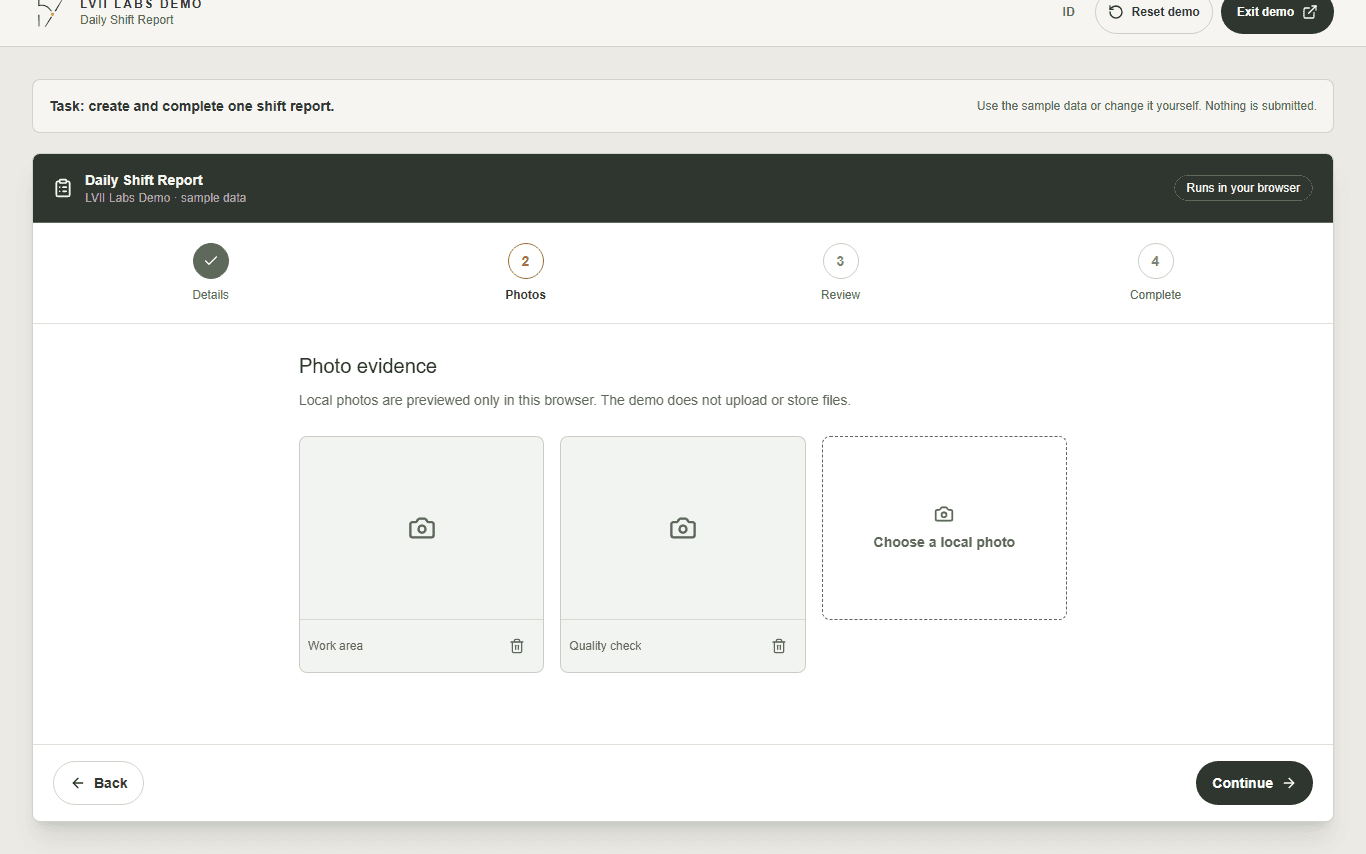
Daily Shift Report photo evidence step with sample site photos and a local photo control
Photo evidence stays with the report. The public demo previews files locally and never uploads them.
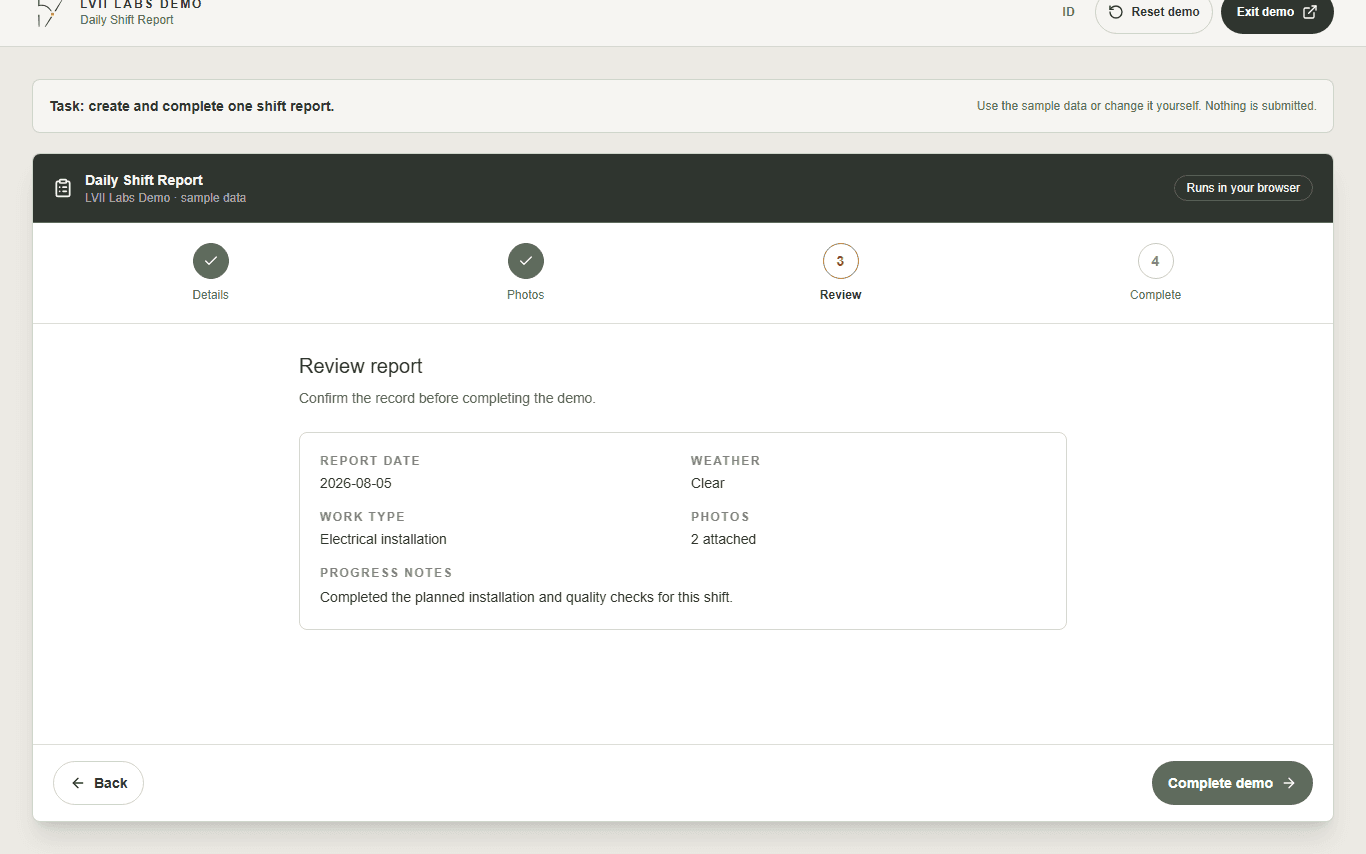
Daily Shift Report review step summarizing entered details and attached photos
The review step gives the field user a final chance to correct the record.
Daily Shift Report completion screen explaining that no real report was sent
The final screen makes it clear that nothing was submitted and shows what a production workflow could do next.
Daily Shift Report form displayed on a mobile screen
The workflow works just as well on a field worker's phone.

Technology

Built around a real operational task.

ReactWorkflow UXResponsive forms

Ready to try the workflow?

The demo runs entirely in your browser. Nothing you enter is stored or submitted.

Try live demo